 |
LootLocker Unreal Server SDK 6.7.1
Server-side backend SDK for Unreal Engine
|
|
LootLocker Unreal Server SDK 6.7.1
Server-side backend SDK for Unreal Engine
|
#include <LootLockerServerDropTableRequest.h>
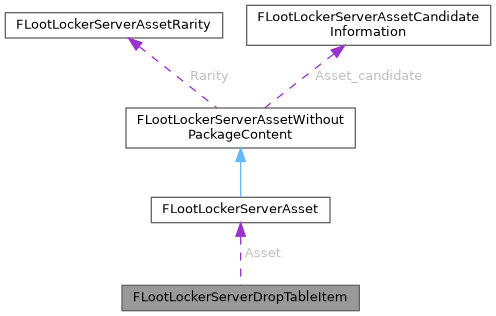
Data Fields | |
| int | Id = 0 |
| The id of this drop table item. | |
| int | Asset_id = 0 |
| The id of this asset. | |
| FString | Asset_variation_id = "" |
| Optional: The id of the particular asset variation of the asset that is in the drop table. | |
| FString | Asset_rental_option_id = "" |
| Optional: The id of the particular rental option of the asset that is in the drop table. | |
| FLootLockerServerAsset | Asset |
| Optional: The full asset description. | |
| FLootLockerServerAsset FLootLockerServerDropTableItem::Asset |
Optional: The full asset description.
| int FLootLockerServerDropTableItem::Asset_id = 0 |
The id of this asset.
| FString FLootLockerServerDropTableItem::Asset_rental_option_id = "" |
Optional: The id of the particular rental option of the asset that is in the drop table.
This variable is optional meaning it may or may not exist, which is why it's a string. To get the value from it you should first check if it is valid (for example using .IsNumeric() and then get the value from it (for example using FCString::Atoi)
| FString FLootLockerServerDropTableItem::Asset_variation_id = "" |
Optional: The id of the particular asset variation of the asset that is in the drop table.
This variable is optional meaning it may or may not exist, which is why it's a string. To get the value from it you should first check if it is valid (for example using .IsNumeric() and then get the value from it (for example using FCString::Atoi)
| int FLootLockerServerDropTableItem::Id = 0 |
The id of this drop table item.