 |
LootLocker Unity SDK 8.2.0
Game backend SDK for Unity
|
|
LootLocker Unity SDK 8.2.0
Game backend SDK for Unity
|
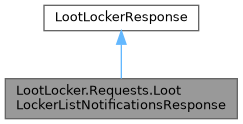
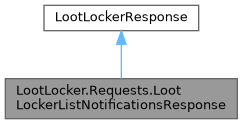
Response containing a paginated list of notifications for the player. More...
Public Member Functions | |
| void | MarkUnreadNotificationsAsRead (Action< LootLockerReadNotificationsResponse > onComplete) |
| Will mark all unread notifications in this response as read in LootLocker (though remember to check the response if it succeeded) | |
| bool | TryGetNotificationsByIdentifyingValue (string identifyingValue, out LootLockerNotification[] notifications) |
| Get notifications by their identifying value. | |
| void | PopulateConvenienceStructures () |
| Populate convenience structures. | |
 Public Member Functions inherited from LootLocker.LootLockerResponse Public Member Functions inherited from LootLocker.LootLockerResponse | |
| void | ReportFailure (string userDescription, Action< LootLockerResponse > onComplete) |
| Sends a report about a failed request to be viewable in the LootLocker dashboard. | |
Properties | |
| LootLockerNotification[] | Notifications [get, set] |
| List of the requested notifications according to pagination settings. | |
| LootLockerExtendedPagination | Pagination [get, set] |
| Pagination data for this set of notifications. | |
| Properties inherited from LootLocker.LootLockerResponse | |
| int | statusCode [get, set] |
| HTTP Status Code. | |
| bool | success [get, set] |
| Whether this request was a success. | |
| string | text [get, set] |
| Raw text/http body from the server response. | |
| LootLockerRequestContext | requestContext [get, set] |
| Context for the request. | |
| LootLockerErrorData | errorData [get, set] |
| If this request was not a success, this structure holds all the information needed to identify the problem. | |
| string | EventId = Guid.NewGuid().ToString() [get, set] |
| inheritdoc added this because unity main thread executing style cut the calling stack and make the event orphan see also calling multiple events of the same type makes use unable to identify each one | |
Response containing a paginated list of notifications for the player.
|
inline |
Will mark all unread notifications in this response as read in LootLocker (though remember to check the response if it succeeded)
| onComplete | Action for handling the server response |
|
inline |
Get notifications by their identifying value.
The out is an array because many notifications are not unique. For example triggers that can be triggered multiple times. For Triggers the identifying value is the key of the trigger For Google Play Store purchases it is the product id For Apple App Store purchases it is the transaction id For Steam Store purchases it is the entitlement id For LootLocker virtual purchases it is the catalog item id For Twitch Drops it is the Twitch reward id For custom notifications(notifications with the field Custom = true and with the source being either LootLocker Console, LootLocker Admin API or LootLocker Server API) the content of the notification is defined by the sender, so the identifying value is simply the Notification type matching the pattern ^[a-z0-9_-]+.[a-z0-9_-]+.[a-z0-9_-]+$
| identifyingValue | The identifying value of the notification you want to fetch. |
| notifications | A list of notifications that were found for the given identifying value or null if none were found. |